Monday, March 13, 2017

TDSB Google Camp 4.0 SOLD OUT!

So, I didn’t win the Demo Slam, the crown nor bragging rights for a year. Competition and talent was fierce but I was glad to be a contender. That was the end of a long, mind-blowing, adventurous learning day.  


TDSB Google Camp is a great conference for TDSB educators by TDSB educators looking to further develop a positive growth mindset, build a Professional Learning Network while leveraging technology like Google Apps. An opportunity to seek out like-minded educators or not and engage in discussion to push ideas to new limits or create new ones altogether.


There was a strong Elementary panel presence in both presenters and attendees, while the Secondary panel is growing with teachers sharing their best practices leveraging GAFE apps. This year, there were a few sessions hosted by Administrators leading through example; for both teachers and administrator on the effective use of ‘working smart’ with various GAFE apps.


The morning began with the hustle and bustle with last minute set up of Thank You cards for presenters; teachers, administrators, board-level and IT members. The registration table line-up was moving smoothly as over 500 educators picked up their lanyards leading to the hack-your-badge table, a light breakfast snack and photo booth to entertain while building memories.  


I meet with my Social Media Crew, a talented team who were always ready to provide support Diana Hong, Shawn Spencer, Mahfuza Rahman, Gerry Corrigan and Tim Barker. Throughout the day we Tweeted out from the @TDSB_TLT #tdsbcamp account capturing the learning, sharing, and ‘a-ha’ moments. We were able to capture a few sessions and live stream them via Periscope for educators unable to attend, to watch from the comfort of their homes.


Keynote @JesseBrown asks us to consider disruption as a positive, and that as educators we need to provide students with experiences where they “build an array of skills to surf thru chaos.” He challenged us to consider how we might apply the strategy of how “Google built failure into their model” into our own classrooms. How might we harness passions in what we do? Perhaps looking further into providing opportunities for passion projects Google 80/20. All of which I believe is a part of my class learning community but so much more growth is needed for consistency and addressing the boundaries (if needed at all) of ideas/resources. Jesse Brown ended his keynote with “I wish you wonderful failures.”


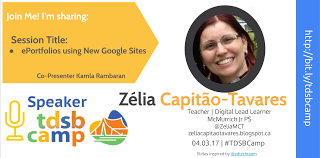
I was proud to present during the second session with Kamla Rambaran focussing on Student Voice: ePortfolios using Google Sites. A great topic, yes, but that was not the highlight. Two Grade 6 students honoured us by co-presenting as they gave educators a tour of their ePortfolio; what they get from reflecting on their learning and how they will use this to continue making plans toward achieving their set goals, both academic and personal. From here, students provided support to our guests in setting up their own Google Sites. I believe that an integral part of student voice is provide students opportunities to speak to educators and be leaders in discussions or responding to questions on how we can all learn from one another. This was the proudest part of my day: stepping aside and letting the students step up.


The biggest challenge of the day was selecting which of the sessions to attend which is why I, myself reviewed the periscope sessions over the days that followed Google Camp. This was a wonderful way to get a glimpse of the sessions offered throughout the day. But to highlight a few, sessions ranged from beginners using Google Keep with Kate Miles to being Innovative Entrepreneurs with Arianna Lambert to Digital Breakouts with Larissa Aradj to effective Gmail Workflow with David Hann.  

As the day went on, educators made their way back to the auditorium for closing activities including prizes for high attendance from a school, school Google Camp spirit and a randomizer app to select winners from the audience.

But, what better way to end a day of learning, being overloaded with new information to take back into our classrooms to further explore than a Demo Slam! Each of the Demo Slammers pitched a 3-minute tech demo, while getting the audience all hyped up and excited was a success. This year, I put my name forth and took part in my first Demo Slam... I was nervous, stumbled and then with a bit of help from the audience I just had fun with it!


The impromptu challenge put upon, Peter Singh, CTO was to select the winner. With grace and much audience noise the Demo Slam Queen Larissa Aradj was announced!


With that, they day came to a close and all the ‘behind-the-scenes’ Google Camp crew members packed away equipment wrapping up another successful TDSB Google Camp. Looking forward to TDSB Google Camp 5.0.


Thank you Kevin Bradbeer, Carlo DiFelice, Shelley Lowry, Marlena Rivett, Lisa Weaver and TDSB_IT Services for the opportunity to be a part of the Google Camp crew and all of the awesomeness that made this day great!

A shout-out to the TDSB Google Camp Committee I was proud to be a part of: Lucy Chan, Holly Sharpe, Iniyal Hryhorczuk, Maleka Kaderbhai and Lisa Rubini-Laforest for making the day even more special with your support and attention to detail.

Thursday, March 2, 2017

MakeyMakey: Not just about the Tool BUT a whole lot of Fun!

Really, it wasn’t about the tool but it sure was a whole lot of fun!

The MakeyMakey Certification course did not disappoint!
MakeyMakey a starter project by two MIT students Jay Silver and Eric Rosenbaum that provides endless opportunities to turn ordinary objects into a touch pad/surface. It does this by conducting electricity into the device to controls your computer keyboard. Yes, for a Grade 6 teacher, there are so many curriculum connections right across the Electricity Unit as we discussed open and closed circuits, series and parallel circuits, creating switches, lighting up LED’s BUT it doesn’t stop there.

Now, combine this tool with the creative control of coding in Scratch under the guidance/inspiration of Mitch Resnick’s MIT Media Lab. This takes your from controlling your keyboard to include visuals, sounds and even more elaborate interactive fun where YOU have the ability/opportunity to be the creators of your own content.

Consider the innovative application my students created when they were guided through the Design Thinking process with an Empathy for User Needs approach and came up with their ‘How might we…” statement: How might we engage our Deaf & Hard of Hearing students with interactive games to share our message about Global Citizenship? Students designed, prototyped and constructed three interactive mini-putt lanes wired with MakeyMakey. There were switches throughout the lanes; when the golf ball hit the switch, a bright light would flash across a laptop at the end of the lane, drawing the attention of the player, followed by a ‘Did you know..’ statement. And, yes, it was glow-in-the-dark too.


This was all great but there was one hitch. I, myself, did not know much about MakeyMakey other than providing students with the opportunity to explore, plan flow-charts and create storyboards. Both my students and I were truly fortunate to have TDSB teacher David Hann mentor students via Google Hangouts by providing tips and tricks while promoting further testing of their ideas.

That is why the MakeyMakey Certification course was so important for me to attend. I want to further build upon my own understanding of STEM and Coding pedagogy to enhance opportunities for curiosity and student engagement. I want my students to see themselves as problem solvers who can leverage technology to make positive changes in our world.

Lisaanne Floyd and Brian Aspinall from FairChance Learning who is a MakeyMakey Ambassador (the only Canadian) highlighted features of Mathematical Thinking and Computational Thinking with an emphasis on the ‘Sweet Spot’: Problem Solving, Modelling, Analyzing, Interpreting and Statistics and Data. Why? According to Brian, “If you can learn to code, you can code to learn” thus building upon Seymour Papert’s constructivist theory approach, and Mitch Resnick who is the developer of Scratch programming brought together to inspire “creative learning experiences”.

That is why the MakeyMakey Certification course was so important for me to attend. Refining teaching practices to effectively integrate global skills and competencies with the use of inquiry-based learning, information and communications technology, cooperative group learning and a problem solving skill set. I want to further build upon my own understanding of STEM and Coding pedagogy to enhance opportunities for curiosity and student engagement to see themselves as problem solvers who can leverage technology to make positive changes in our world.
Time to keep playing and coding!


Check out Brian’s blog to learn more


If you would like to see some classroom examples, check out http://www.hourofcuriosity.com/makey-makey/

Wednesday, January 18, 2017

Student BreakoutEDU Signature Story

In a post a few months ago I shared “The BreakoutEDU sessions to connect, build relationships and teamwork were as challenging as they were insightful.” Well, this still stands true today!

Rafranz Davis immersed us in discussion of Your Signature Story emphasizing how our life experiences change us and how do we use that to drive positive change. Jeffrey Humphries used the BreakoutEDU experience as an icebreaker activity for #TOR16 educators to share something about themselves with our #GoogleEI cohort. Inspired by both education leaders, I took these concepts and modified them to create an assignment for my students.


Students shared a brief story setting up their mini BreakoutEDU about their ‘spark’ that shapes who they are as a learner today. Once the box is opened, students shared their 3-minute Signature Story emphasizing how their life experiences change us and how we use that to drive positive change in our learning.

The results?
There were cooperative group student planning, going through several iterations on how they want to design their BreakoutEDU session. Also, discussions and ongoing collaboration between groups on various strategies for creating clues and selecting riddles to challenge their peers. Students’ excitement as they were looking forward to trying peer-created BreakoutEDU games. And, most importantly, understanding and recognizing that all our peers, kids sitting next to us have their own life experiences, experiences they come with them to school with each day that are set aside or used to shine.

With permission from a reluctant learner to include in my post, this reflection captures his true ability as a learner:
What was the focus of the learning task? 
**The focus of this learning task was to find out who we were as class community members, what we bring to the learning and find out what inspires us the most.
What new learning did you gain and how would you use this new learning? 
**I gained the ability to step up and present without fear to explain my story. I would use this in new learning experiences by being able to create a puzzle and presenting my signature story in an interesting way. I realized that I enjoy coding and that it is valued at school to build on my understanding in other subjects.
How might you further build upon your ideas or overcome challenges you encountered? 
**This will help me build ideas that could maybe help people/the world. For example, coding/programming could maybe make a difference in people with disabilities. We could make a robot or something to guide them and play with them.  This help me overcome my fear which is talking to a large group of students/parents/teachers.

My reward?
Helping students find or identify their own spark and supporting them into transferring that across other learning experiences to persevere and strive towards their goals in and out of the school. The many “thank yous” from students followed by them asking for more opportunities to plan, design and lead sessions.


Here’s a link to the Storify of students leading their BreakoutEDU sessions: https://storify.com/ZeliaMCT/students-breakoutedu-signaturestory

Outline of the student assignment:


Monday, January 2, 2017

#OneWord2017

This time last year, I shared my #oneword: POTENTIAL. Taking the time and strength to step aside and let students share their spark, their abilities, their talents that would not otherwise be displayed in daily, high-structured learning environments. When I asked my students at the beginning of the 2015-2016 school year, 'others seeing potential in them' was a common feeling where many of the students did not see how they 'fit' into a school/class environment. I learned so much from these students and together we accomplished many personal and class goals.
This year,  I want to PERSEVERE.


I want to continue on respecting and supporting students' sharing or discovering their spark. I also want to continue taking on new learning challenges, rethinking my approach to building a strong class community of learners, as well as a providing students the opportunity to have a say in what this might look/feel like. I want to persevere and take our daily learning making it visible for parents to follow along via our class twitter account @McM_MsT and class blog: Room 308 in Action. Thus allowing for discussions and making connections to student learning beyond the school day.

I am learning to navigate through various social media forums to connect, discuss and share ideas, teaching moments of successes and fails. Definitely, trying to persevere, follow thru and keep up with discussions within Twitter, to Slack, to Hangouts, and FaceBook.

The past several months I have had the honour of learning with and from my growing Twitter PLN who provide ongoing encouragement, direction and push me to consider my own biases. This also includes the many inspiring and innovating educators via Google for Education Certified Innovator family/tribe #GoogleEI, #TOR16, my journey as an #MIEExpert, #FCLedu, developing a culture of makers/makerspace (it's not about a space) #MakerEdTO, sharing as a TDSB Digital Lead Learners #tdsbdll, refining my lessons thru the Design Thinking Process via #FDSInnovates and so much more.

I must persevere:
Be optimistic
Find a life/work balance
Grow as a life-long learner
..... because my boys are watching
.... because my students are learning
... because I must take care of me to be ready to support others
.. because living life to its fullest can be hard and requires some sacrifice
. because giving up is not an option

Sunday, December 11, 2016

Maple Leafs Community MVP

A few days ago I received an email from Alessandra, EverFi School Implementation Manager sharing that she had herself received "some fantastic information from the Toronto Maple Leafs that you have won an award for your outstanding work with the Future Goals program!!!
They have invited you and a guest to attend the Leafs game on December 11th vs. Colorado to be presented with their Community MVP award."

What ?!? This is so exciting! It has been years since I have attended a Toronto Maple Leafs game! But  I couldn't do anything without my students being adventurers, explorers and risk-takers in going beyond the expected!


I have been inviting Alessandra to launch the Future Goals Hockey Scholar in my class community for three years now. Students enjoy being immersed within the realm of all things hockey but more importantly they are engaged in STEM related activities! During the online course, students are working at their own pace through various modules to review, strengthen and practice math skills learned in class. Students are able to access their online tasks in-class and at-home. "The (online) course utilizes an exploratory learning approach, exposing students to foundational STEM concepts, scientific thinking and data/graphical analysis through real-life STEM applications". Student feedback has always been positive, although they (and I) often remind and recommend that more Canadian content is needed within the course.

I am not entirely sure how I was nominated for this opportunity to be recognized by the Maple Leafs. However, I am honoured and humbled to be recognized for seeking out alternative ways to have students excited about their learning.

Thank you @MapleLeafs @MLSE Alessandra, and Russel for the opportunity to be part of a great evening!


Monday, November 28, 2016

FDS Innovation Leader Certification


This learning journey was inspired during the #GoogleEI #TOR16 Google Innovator Certification when @LesMcBeth enthusiastically presented the Design Thinking process. Design Thinking embodied the mindset process of problem solving and prototyping, which aligned with my class program sparks, sprints and prototyping! Only, we take our ideas to production all leading up to our class annual @McMBusinessDay event. I needed to learn more and further refine my understanding and class program. So, I registered and started a month ago when I excitedly entered the MaRS building @MaRSDD, into the small office space of Future Design School @fdesignschool. There I was greeted by several other educators who also wanted to continue promoting an innovators mindset in their own classrooms.

Following short introductions we launched into a collaborative group icebreaker of stacking cups with the provided supplies. This was followed by a timed individual task of drawing a systems model for ‘How to Make Toast’ capturing how each of us represented information visually with variations of steps/procedures (I can’t wait to go back to class and do this activity with my students!).

This is when I realized that we were going to be ‘doing’ the Design Process as part of the learning within the certification course: beyond just talking about it.  Awesome!

@LesMcBeth took us through defining a challenge while going through ideation, validation and rapid prototyping. Throughout this process there is time embedded for the opportunity to test, offer feedback/critique and rethinking: leading to several iterations of a prototype.

A refreshing take on this is looking through the lens of empathy. Identifying the needs of the user and to continue to be inherently optimistic.

Our next group task was to each individually complete a ‘User Needs’ template addressing “How might we…”. The focus for us was “How might we provide constructive feedback in assessment that encourages intrinsic motivation in students?” This was followed by a Crazy 8’s challenge to come up with various ways to approach the challenge. This is a timed task, 40 secs per section and the brainstorming is done in 5 minutes, thus allowing us to pull out ideas under the clock without overthinking or second-guessing ourselves. From here, we transferred our individual ideas from Crazy 8’s and created our storyboard. Each of us presented our storyboard to the group and then co-constructed and create a collaborative group flow chart. Awesome! Through each unique “How might we…” our team Systems Model encompasses positive/optimistic doable elements that remains focused on the ‘user needs’.


We wrap up our day with a design challenge presented to us:
What do you love? What breaks your heart?
Our prototyping will be in the form of an app created in marvelapp.com, which gives us the flexibility to create digital or paper screenshots of screens within the app design for others to test.

Now this was an amazing Day 1!
Over the next few weeks each of us worked on our “How might we...”. A much appreciated form of communication was connecting and sharing in Slack: one stop messaging, collaborating, and archiving links, pdfs and so much more.  Furthermore, encouragement throughout this learning journey was the opportunity to participate in weekly Google Hangout sessions to share ideas, ask questions and set up for the next tasks of the Design Process for prototyping our app.


Day 2:

We start off the morning with a 4 corners icebreaker focused on our ‘comfort zone’ engaging us in valuable discussions from fixed to growth mindsets based on life experiences.

Laura @msharrison10 walked us through a design sprint she engaged her students in during #dotday @FablePaul @peterhreynolds taking in ideas from students which lead to the collaborative creation of a class mural. Reminding us that the Design Process can vary based on time commitments depending on the challenge presented to students.

We then spent some much needed time to discuss and then independently create our “How might we…” statement for integrating the Design Process into our class programs. We focussed on our ‘user needs’ being the student(s), made curriculum connections and then created our storyboards. The best part is each of us left with a new collection of ways to integrate within various grades and subject areas. We received feedback and held further discussions on instructional strategies and practices we haven’t considered or not yet heard of (my personal favourite resource is Artful Science of Instructional Integration).

Then, each of us steps up to present our 3-minute pitch our empathy prototype giving everyone a chance to take in our app design and business model.  Mine had undergone several iterations and I received even more effective feedback to bump it up further. Kinda wish I could bring the app into the production stages.

We wrap up our day with the presentation of certificates recognizing each of us for the completion of the Future Design School Innovation Leadership Certification course.

It has been an honour to learn alongside so many passionate educators who, like myself, seek out ways to engage & enhance students’ learning experiences through design thinking and innovation.